Disclaimer: The research, attack chain concept, and logic presented in this post are my own. The HTML, CSS, and Javascript used to build the PoC template were developed with the help of Gemini.
Browser-to-BIOS Phishing Attack
What is the Simulated TDR / BIOS Attack
If we look back at how browser-based phishing has evolved over the years, we can clearly see the tactics changing from basic web popups to actual user manipulation. There were old techniques from scam support centers to more modern techniques such as Clickfix, but overall here is a quick timeline of what these attacks looked like:
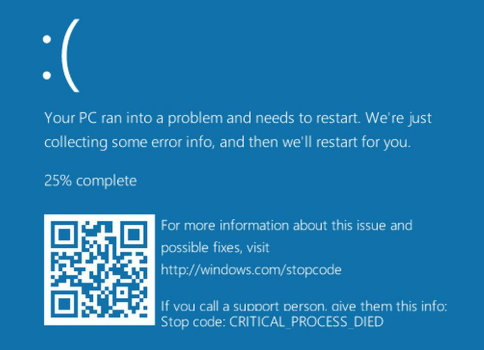
- mid-2010s: Tech Support Scams (Fake BSODs). These were the web pages that went fullscreen, looped a warning siren audio, and displayed a fake Windows Blue Screen of Death, telling you to call a fake support number or scan a QR code.
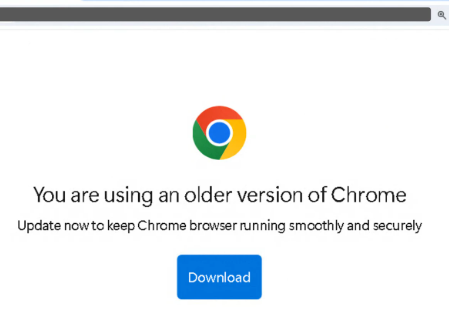
- ~2015-today: Fake Updates. Groups like SocGholish started pushing fake Chrome or Firefox update pages. If you clicked download, it dropped a malicious .js file to your machine.
- 2023-Present: The “ClickFix” Era. Also known as ClearFake. I actually became a target (but not a victim) of this one recently. I got a notification about a security vulnerability on one of my GitHub repos. The link took me to a fake “GitHub Scanner” page. A popup appeared, but it didn’t ask me to download a file. Instead, it told me to press Win + R, paste a PowerShell command into the Run dialog, and hit enter.
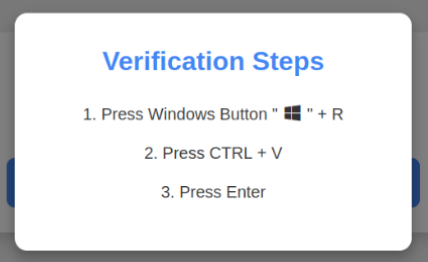
More modern Clickfix variants incorporated fake BSOD screens, so we see some variants use combination of old and new techniques to create more custom attacks. The only “problem” with the clickfix variants though is you have to convince a user to open their terminal and paste random code, which I see as a huge behavioral leap. After all, Clickfix has become rather popular so people maybe don’t fall for the Win+R captcha trick as easily anymore.
Making My Own Technique
I kept seeing these new ClickFix variants and modernized fake BSODs popping up online, but I didn’t see anyone trying to simulate a firmware or BIOS-level phishing technique. So, I thought of making my own.
I wanted to see if I could completely remove the command-line copying part of ClickFix (like some clickfix variants), and instead trick the user into thinking their computer’s hardware crashed. If they think their hardware is failing, they are much more likely to just download and run a “driver patch” to fix it - or perhaps not, but I thought of trying to create my own technique either way.
The target browser we are going to be creating the technique for is Microsoft Edge.
Why Edge specifically? The chain depends on three Chromium-specific behaviors:
(1) the “Page Unresponsive” dialog styling, which differs visually between Chrome and Edge. I hardcoded the CSS to Edge’s version.
(2) navigator.keyboard.lock(), which is only implemented in Chromium.
(3) Fullscreen prompt timing. Firefox and Safari would each need their own tailored chain.
More details later on!
How it works
Basically, the concept of this technique is to emulate a Windows GPU Timeout Detection and Recovery (TDR) event. In a real Windows system if your graphics card hangs for 2 seconds, the screen typically goes black briefly. If it fails, you get a BSOD.
I decided to mimic this exact 2-second freeze and blackout, but instead of throwing a BSOD, I drop the user into a fake AMIBIOS screen.
To make the fake BIOS screen believable, we need the victim’s actual GPU model. This is exposed via WEBGL_debug_renderer_info - a WebGL extension that, per its docs, exposes constants with graphics driver info for debugging purposes.
Limitation:
WEBGL_debug_renderer_infobehaves differently across browsers. Chromium browsers (Chrome, Edge) return the exact GPU string, but Firefox has bucketed the renderer value by default since 2021 to reduce fingerprinting entropy, meaning the same code would return a coarser string there. Since the PoC is Edge-only (see above), this isn’t a functional problem, but it’s worth flagging for portability.
1. The Trigger & The 2-Second Freeze
The attack starts when the user clicks a button on our phishing page. I used a GDPR “Accept Cookies” button for the PoC. Clicking the button requests fullscreen mode.
We could of course have a random popup show with a close button or any other type of way to make the user click on it
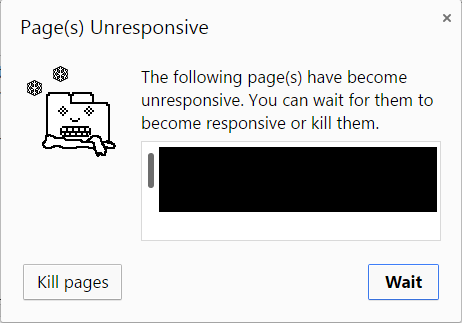
The trick is that when browsers go fullscreen, they show a message at the top saying “Press ESC to exit full screen”. Ideally I wanted to remove this, but didn’t find a way to do so, so I had to make the user not notice it for the span of ~2 seconds (until it disappears). To do so, the moment they click the button, my Javascript freezes the page and locks the mouse cursor as a “pointer” hand for 2 seconds to make the user think the website is just lagging, and around the same time I make a popup appear that displays the fake “Page Unresponsive” wait/kill dialog. By that time, the original popup (ESC) has disappeared. It is kind of a gamble of whether the user will pay attention to the ESC popup or the browser kill/wait dialog.
An alternative approach: Certitude documented a technique that uses a WebGL fragment shader with an infinite loop to hang the GPU entirely, which prevents the fullscreen banner from rendering at all. It’s a cleaner solution than the timing gamble I used here, but it’s not fully reliable. Behavior varies across GPU/driver combinations, and in some cases it can trigger a real BSOD (which would blow the current social-engineering setup). For this PoC I chose the timing-based approach for consistency, but feel free to read that blog post for the alternative.
2. Getting the Real GPU
Before the crash happens, the script runs a quick WebGL check to grab the user’s GPU::
const gl = canvas.getContext('webgl');
const ext = gl.getExtension('WEBGL_debug_renderer_info');
const gpuString = gl.getParameter(ext.UNMASKED_RENDERER_WEBGL);
This gives us the string of the user’s GPU (like “NVIDIA GeForce RTX 4090” or “Intel Iris Xe”). We save this so we can show it in the BIOS screen later to make it look legitimate.
3. The TDR Blackout & BIOS Screen
When the user clicks “Kill Pages” on the fake unresponsive popup, the screen goes completely black for 1.2 seconds using CSS. This mimics the Windows TDR driver reset where the monitor momentarily loses signal.
When the screen turns back on, the user is inside a fullscreen AMIBIOS menu.
The mouse is hidden using cursor: none, and by using the navigator.keyboard.lock() API, it captures key events that the browser would normally intercept so they can only use the Arrow keys and Enter. In the menu, they see their actual GPU model next to a red error saying HALTED - MISSING DRIVER.
4. Payload and Startup Folder
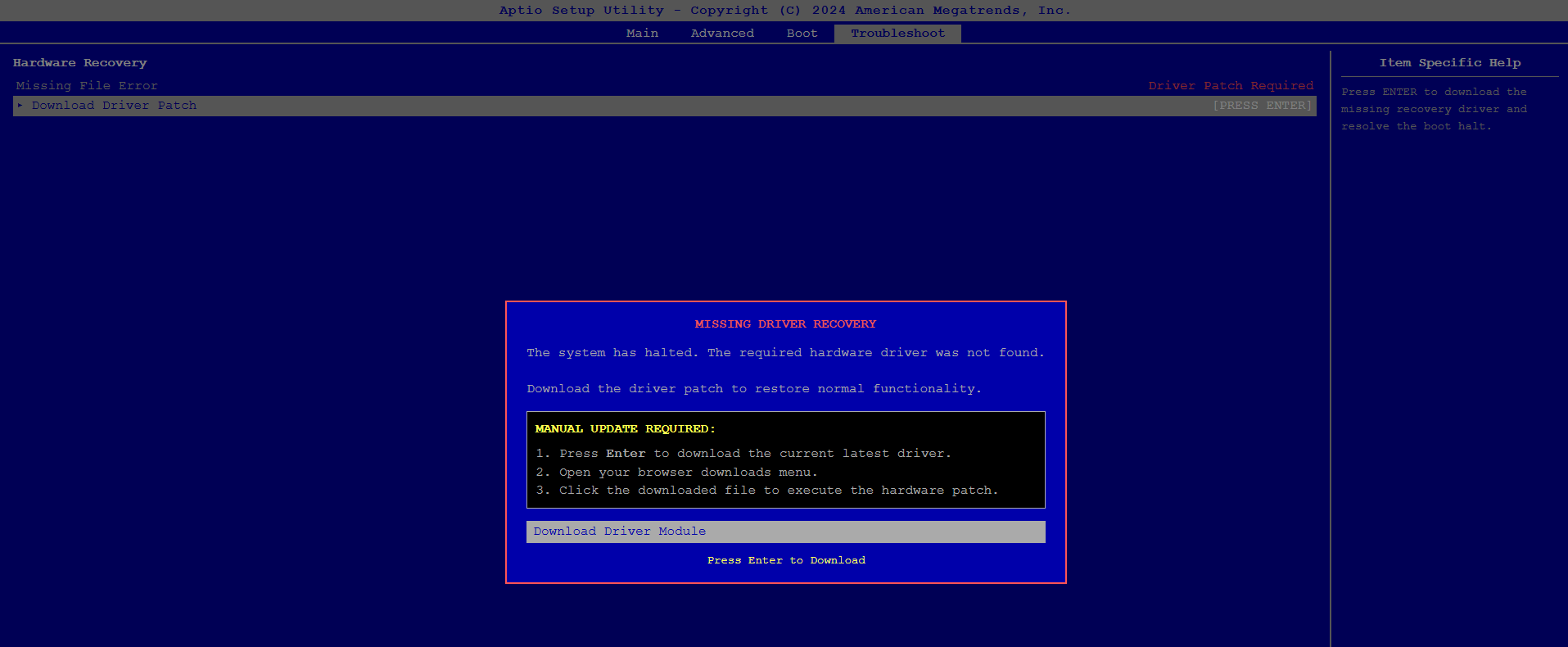
The fake BIOS tells the user to press Enter to download a recovery patch. A fake DOS progress bar appears, and the browser drops a recovery.vbs file (you can name it however you like).
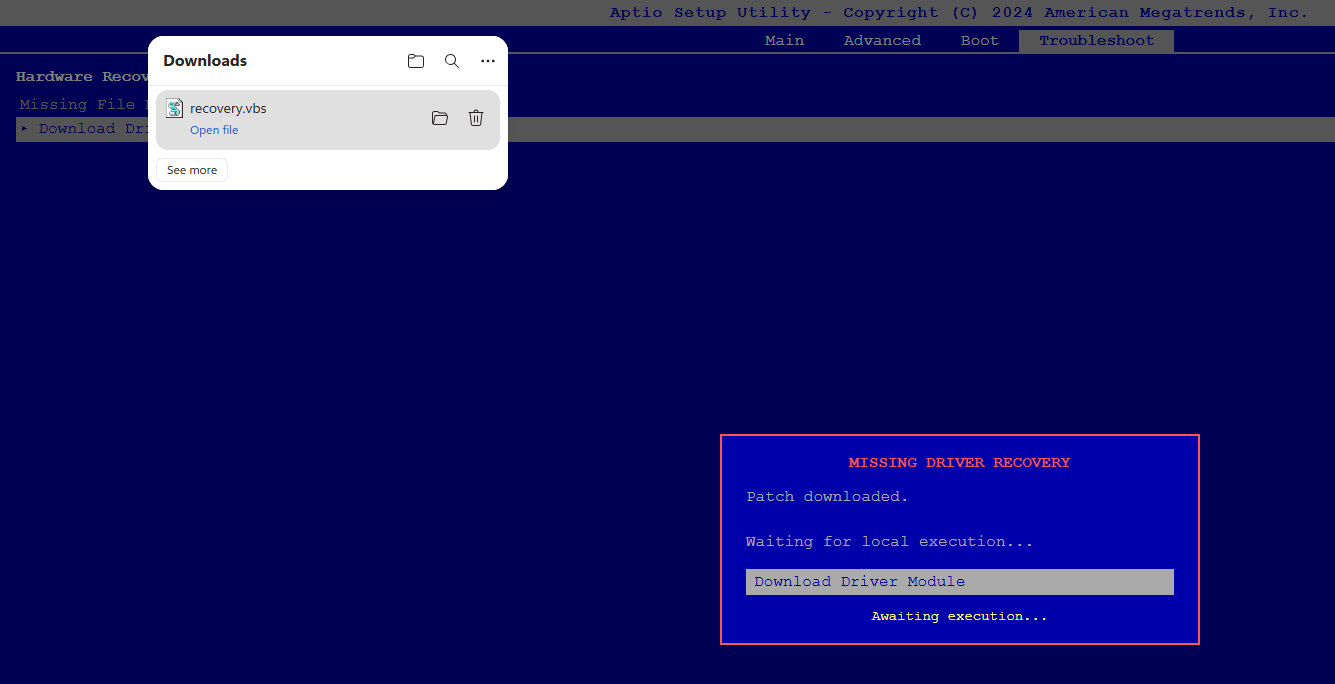
The user clicks it. The script runs silently in the background (no terminal pops up). It sends a ping to my local Python C2 server, which updates the browser screen to say “Patch Applied - Please Restart”.
To get persistence without needing admin privileges, the VBScript writes a simple script into the user’s Startup folder:
%AppData%\Microsoft\Windows\Start Menu\Programs\Startup\update_success.vbs
When the user manually restarts their PC, the payload executes. For this PoC, it just pops up a Windows message box saying “Update successful”.
Final PoC
Running the PoC in a windows VM, the victim visits a page (could be hijacked, sent as a link etc), and presses accept cookies:
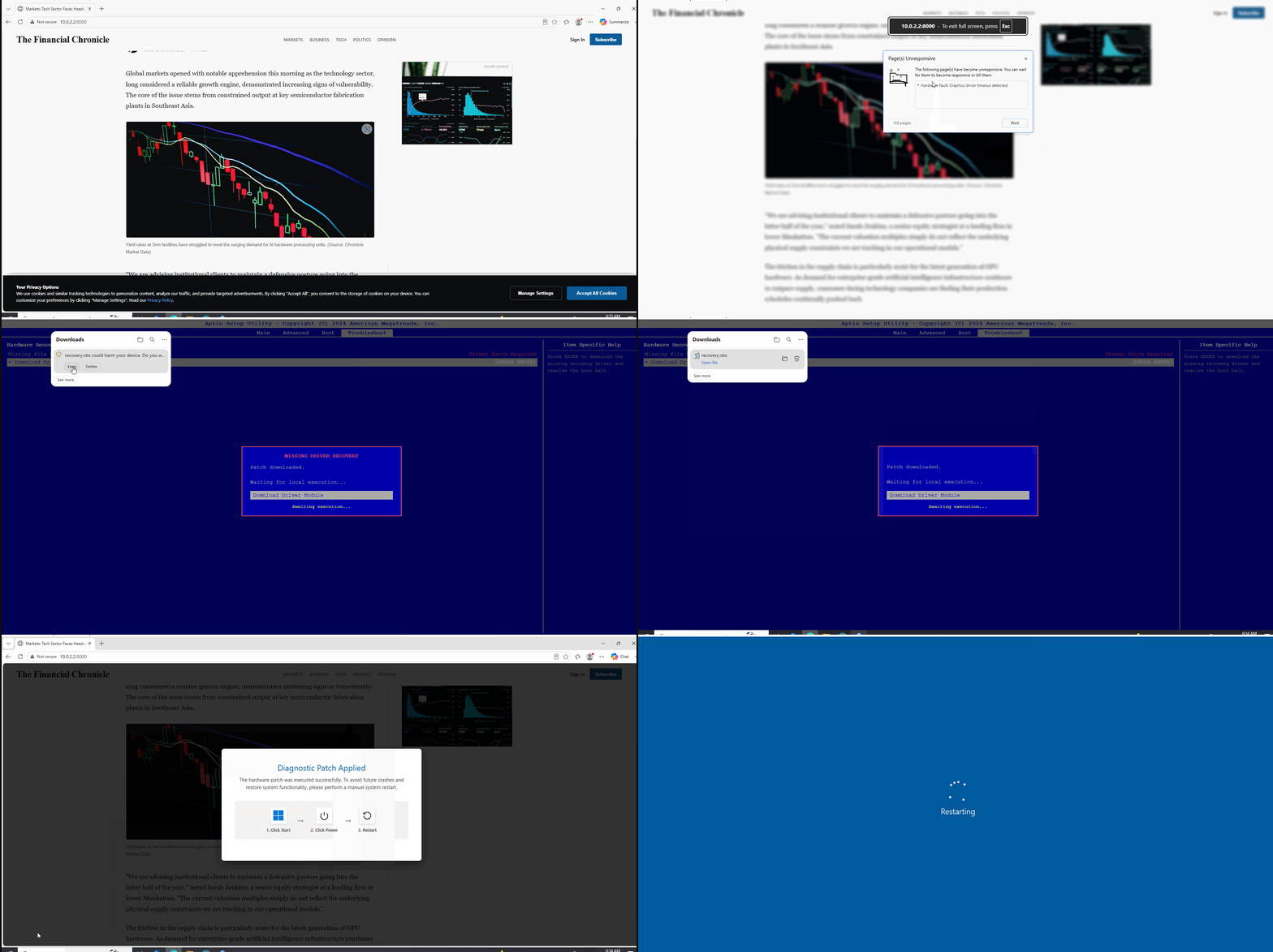
Other techniques could be used to deliver the “update” in a way to bypass MOTW or Smartscreen warnings.
After the victim restarts the machine, we can see code execution happening via the Startup folder:
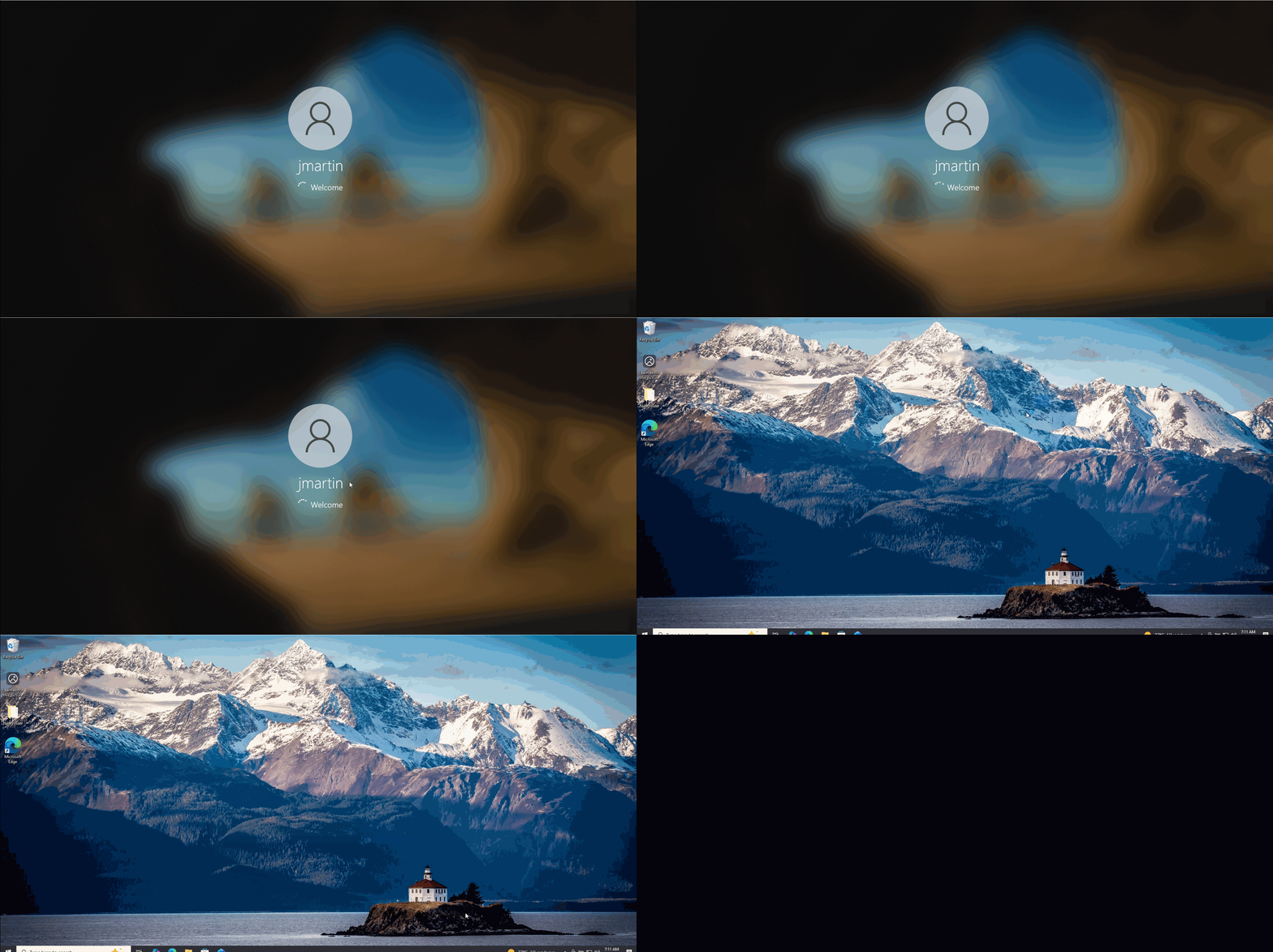
This could be used to drop malware, achieve persistence etc.
Future Work
A few parts of this technique have room to improve. None of these fixes would make the chain bulletproof, but each closes a realism gap.
(1) BIOS template doesn’t match every manufacturer
The PoC uses AMIBIOS, but a Dell user sees a Dell screen, an MSI user sees an MSI screen, and so on. There’s no browser API that returns the OEM directly, but a probabilistic classifier could combine several weak signals into a confidence-scored guess:
- GPU string (from WebGL): integrated Intel Iris Xe suggests a laptop. A string literally containing “Laptop GPU” is a giveaway. Discrete high-end desktop GPUs like RTX 4090 suggest a tower.
- Screen resolution + DPI scaling: laptops cluster around specific combinations - 1920×1080 @ 1.25x for typical 14-15" Windows laptops, 2560×1600 @ 2x for MacBooks, 3072×1920 @ 2x for Surface.
- Touch support (
navigator.maxTouchPoints): non-zero on Windows biases toward 2-in-1 or convertible OEMs like Surface, Lenovo Yoga, HP Spectre. - CPU concurrency (
navigator.hardwareConcurrency) and reported memory (navigator.deviceMemory): rough tier hints. - Font fingerprint: some OEMs preinstall fonts that ship with their bloatware (certain Lenovo, HP, and Dell utility apps). Detecting these via font enumeration would be a strong OEM signal.
- UA platform version: OEM-signed Windows builds sometimes ship distinct patch cadences.
Trained on a dataset like the Steam Hardware Survey or a public fingerprinting corpus, this could give a rough per-OEM confidence score and pick the closest matching template. A simpler fallback is to skip classification entirely and show a generic InsydeH2O or Phoenix SecureCore screen for anything that looks like a laptop and AMI Aptio V for anything that looks like a desktop, since these underlie most OEM BIOSes anyway.
(2) The chain is Edge-only
Chrome is the natural next port since it shares most of the underlying Chromium primitives. Only the “Page Unresponsive” dialog CSS would need forking. Firefox and Safari would need entirely separate chains.
(3) The payload triggers SmartScreen / MOTW
The dropped .vbs will warn the user on any modern Windows install. Standard bypass paths (container files like ISO/VHD/MSIX, signed loaders, LOLBAS) apply here - out of scope for this post but required for a real-world red team assessment.
Final words
This project was a project I had in my backlog for a while and I am really glad I finally finished it. What was particularly interested to me is how you can access hardware information via js, which can get the phishing attempt more convincing. I will definitely be looking further into what other APIs can be weaponized for that matter, and perhaps make a future blog post about it. Till then, stay vigilent!